Hiublue blogs are now available
Promise G Chowdhury
Software Engineer, Hiublue

Introducing Our New Blog Section on the Hiublue Landing Page
We’ve just rolled out something new on Hiublue that we’re pretty excited about: a fully integrated blog section right on the landing page.
Instead of managing content in a separate system, we’re now using the Hiublue portal itself as a CMS (Content Management System). That means users can write, edit, and publish blog posts directly in the portal, and those posts are automatically displayed on the public landing page.
How It Works
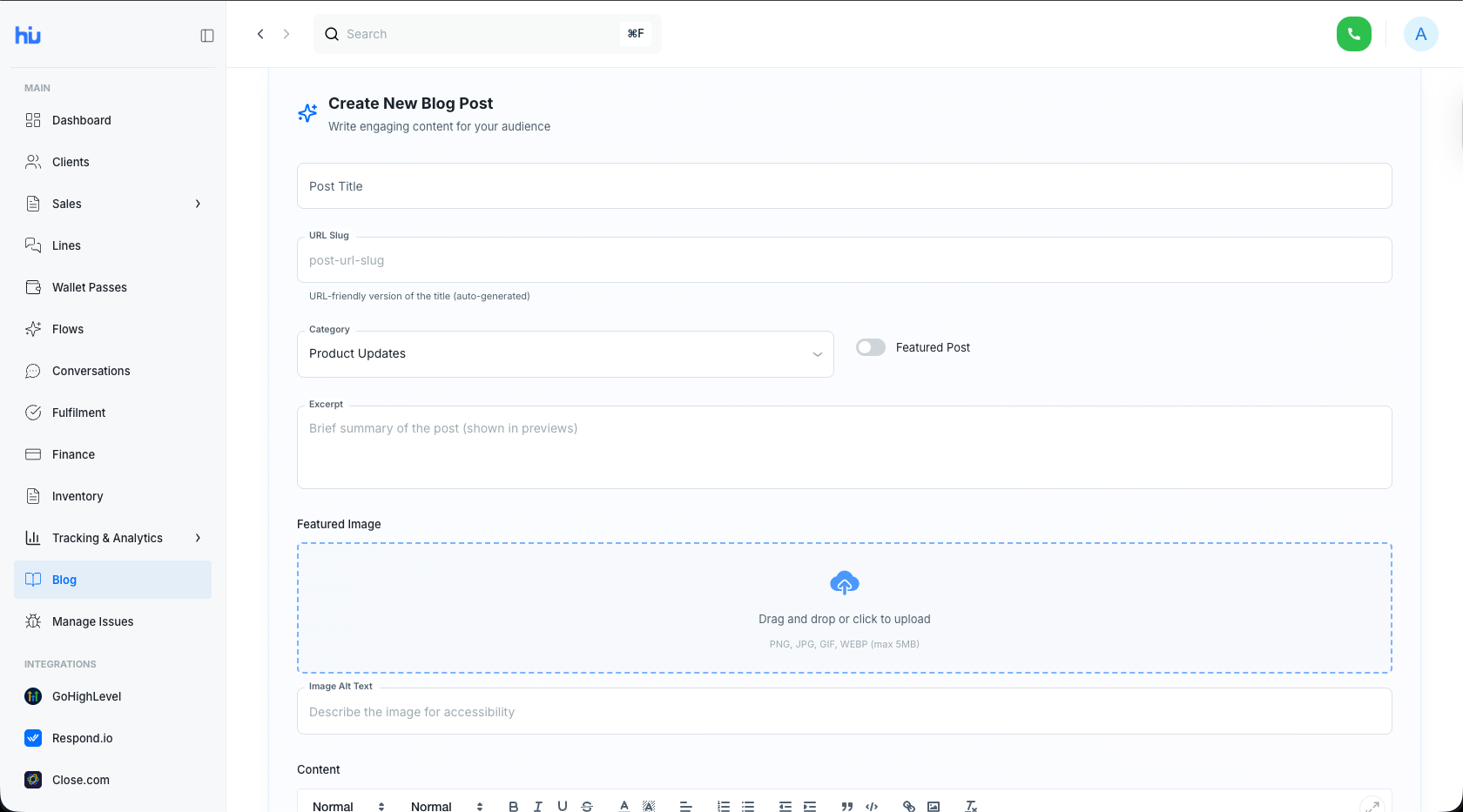
- Create your blog in the Hiublue portal
- Log in to your Hiublue account.
- Head over to the blog or content section in the portal.
- Write your blog post: add a title, body content, images, tags, and any metadata you need.
- Save to the database
- When you hit publish (or save), your blog post is stored in our database via the portal.
- Each post is structured and stored in a way that makes it easy to manage, search, and display later.
- Automatic display on the landing page
- The landing page pulls the latest blog entries from the database.
- Visitors immediately see fresh content—no manual updates, no static page edits.
- Depending on the configuration, the landing page can show featured posts, the most recent posts, or a curated selection.
Why We Built It This Way
Using the Hiublue portal as a CMS brings a few clear advantages:
- Single source of truth
- All your content lives in one place—your portal. No need to juggle multiple tools or copy-paste between systems.
- Streamlined workflow
- The people who create content can publish it directly without waiting for developers or designers to update the landing page.
- Real-time updates
- As soon as a blog is created or updated in the portal, the changes are reflected on the landing page.
- Scalability & structure
- Because blog posts are stored in the database, it’s easy to extend features later—like search, filtering, categories, or personalized recommendations.
What Visitors See
From a visitor’s perspective, the experience is simple and clean:
- A blog section on the Hiublue landing page shows the most recent or featured posts.
- Each card or snippet typically includes the title, short description, publish date, and a “Read more” link.
- Clicking a post takes the visitor to the full article, served directly from content stored via the portal.
This turns the Hiublue landing page into a more dynamic, content-rich entry point to the platform.
What This Means for Hiublue Users
If you’re a Hiublue user, you can now:
- Share product updates, tutorials, case studies, announcements, and thought leadership pieces.
- Keep your audience engaged with ongoing, fresh content instead of a static homepage.
- Maintain full control over your content without needing extra tools.
What’s Next
This is just the first step. Now that the portal is acting as a CMS, it opens the door to future enhancements such as:
- Categories and tags for better content discovery
- Scheduled publishing
- Author profiles
- Analytics on which posts perform best
In short, the new blog section on the Hiublue landing page is powered entirely by our own portal and database—turning Hiublue into both a platform and a content management system.
If you’re already using Hiublue, log in and try creating your first blog post. Your next article could be the first thing new visitors see when they land on Hiublue.
How to create a blog
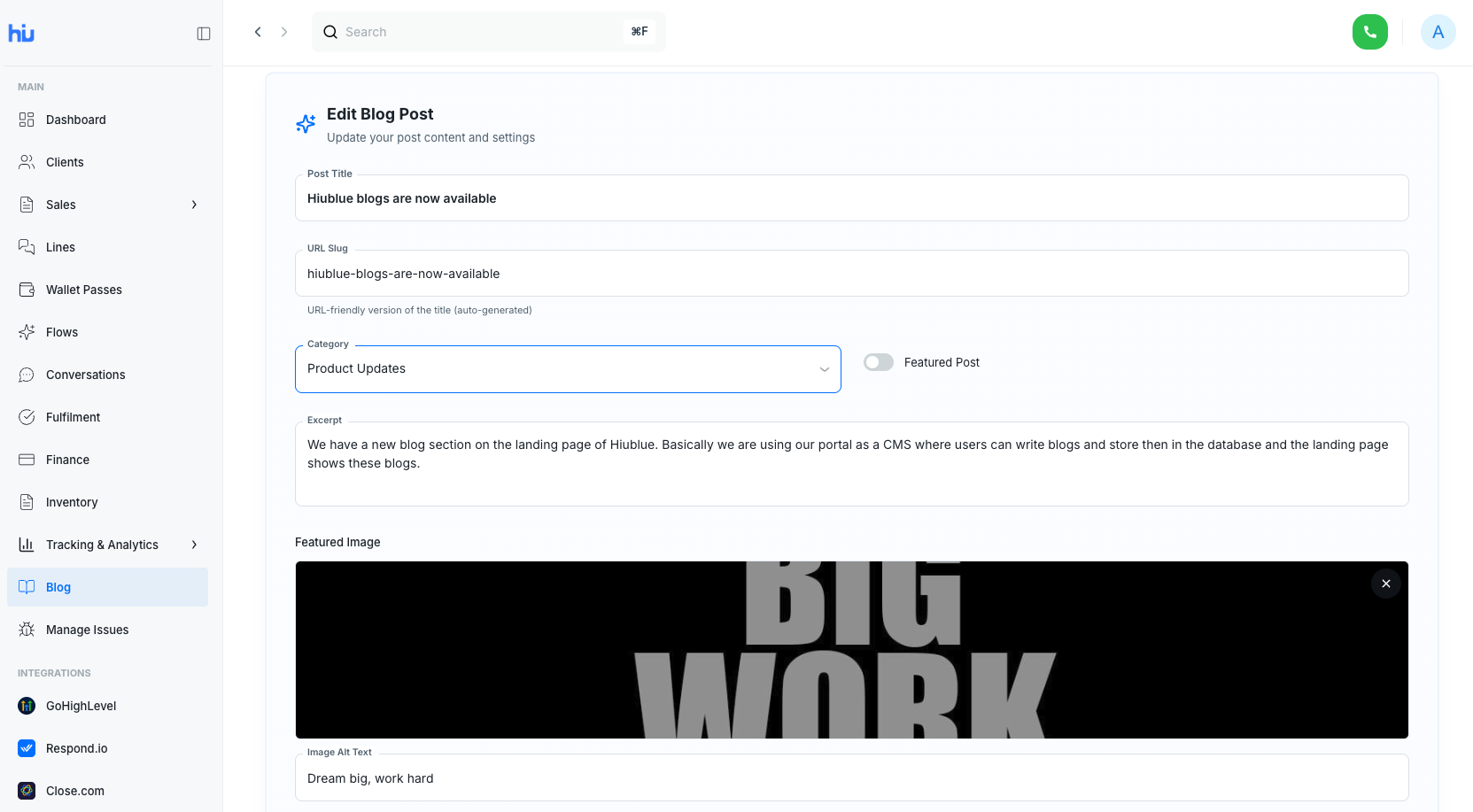
How to edit a blog
That's it for today. See you next week.